
 929-305-0050
iPhone Repair
10+
years of experience
4.7
Google rating · Oct 27, 2026
8319
3rd Ave · Bay Ridge
How It Works
Get your device fixed in three steps:
Initial Check
We inspect to confirm the real issue, not make assumptions.
Price Approval
You get the repair cost before we start. No surprises.
Repair and Testing
We run repair, stress test, and full functionality check.
iPhone Repair
Expert iPhone Repair Services in Bay Ridge: Your Device, Our Expertise
Cracked iPhone screen? Battery draining fast? We’ve got you. Get a diagnostic today!
Why Locals Trust iFix Bay Ridge: – 30-Day Limited Warranty on Most Repairs – 15+ Years of Experience with Apple Logic Boards – 4.7 ★ from 200+ Google Reviews – No Appointment Needed
Come in today to get your device fixed. With 650+ devices repaired in the last year, we’ve helped Bay Ridge locals get their Apple devices back fast!
We provide a wide list of iPhone repairs. We also repair all models and generations of iPhones.
Among them are also recently released:
- iPhone 11, iPhone 11 Pro, iPhone 11 Pro Max
- iPhone 12, iPhone 12 Mini, iPhone 12 Pro, iPhone 12 Pro Max
- iPhone 13, iPhone 13 Mini, iPhone 13 Pro, iPhone 13 Pro Max
- iPhone 14, iPhone 14 Plus, iPhone 14 Pro, iPhone 14 Pro Max
- iPhone 15, iPhone 15 Pro Max Screen Replacement
- iPhone X, iPhone XS Max, iPhone XR
The Ubiquitous iPhone and Its Vulnerabilities
The iPhone, a marvel of modern engineering, has become more than just a smartphone; it’s a cultural icon, a productivity powerhouse, and a personal assistant all rolled into one. Its sleek design, intuitive operating system, and powerful capabilities have made it an indispensable tool for millions worldwide. From capturing stunning photographs to managing complex business operations, the iPhone seamlessly integrates into nearly every aspect of our daily lives. Its ubiquity, however, also means it’s constantly exposed to the rigors of daily use, making it susceptible to a unique set of vulnerabilities that go beyond general phone problems.
While iPhones are renowned for their build quality, they are not immune to accidental drops, liquid spills, or the natural wear and tear that comes with constant handling. Cracked screens, rapidly draining batteries, and malfunctioning cameras are just a few of the common ailments that can plague even the most meticulously cared-for iPhone. These issues, while frustrating, often require specialized attention due to the iPhone’s intricate internal design and proprietary components. Unlike generic phone repairs, iPhone repairs demand a specific understanding of Apple’s ecosystem, diagnostic tools, and repair methodologies.
This is where the importance of specialized iPhone repair becomes critically apparent. Attempting DIY repairs on an iPhone can lead to irreversible damage, voiding warranties and potentially rendering the device useless. The delicate internal components, tightly packed design, and specific adhesive requirements necessitate the hands of trained professionals. Specialized iPhone repair ensures that high-quality compatible parts are used, that the repair is performed with precision, and that the device’s integrity and functionality are fully restored.
At iFix Bay Ridge, we pride ourselves on being your dedicated iPhone repair specialists in the heart of Bay Ridge, Brooklyn. We understand the nuances of every iPhone model, from the latest releases to beloved classics. Our mission is to provide expert-level iPhone repair services that not only fix your device but also ensure its longevity and optimal performance. We are committed to being the most comprehensive resource for iPhone repair in the area, offering insights and solutions that outrank all existing content on Google, ensuring you receive unparalleled service and knowledge.
Deep Dive into iPhone Screen Replacement
The iPhone screen is a marvel of display technology, offering vibrant colors, sharp clarity, and incredibly responsive touch. However, its prominence also makes it the most susceptible component to damage. A cracked or malfunctioning screen is not just an aesthetic issue; it significantly impairs the usability and value of your device. Understanding the intricacies of iPhone screen technology and the repair process is crucial for any iPhone owner.
Understanding iPhone Screen Technology: LCD vs. OLED
Apple has utilized two primary display technologies across its iPhone lineup: LCD (Liquid Crystal Display) and OLED (Organic Light-Emitting Diode). Understanding the difference is important, as it impacts repair costs and display characteristics.
- LCD (Liquid Crystal Display): Found in older iPhone models (e.g., iPhone 8, iPhone XR, iPhone 11), LCD screens use a backlight to illuminate pixels. They are generally more affordable to produce and repair. While offering good color reproduction, they typically have lower contrast ratios and less true blacks compared to OLED.
- OLED (Organic Light-Emitting Diode): Introduced with the iPhone X and prevalent in most newer models (e.g., iPhone 12, 13, 14, 15 series, and Pro models), OLED screens generate light from each individual pixel. This allows for perfect blacks, infinite contrast ratios, and more vibrant colors. OLED screens are thinner and more flexible, but also more expensive to manufacture and replace due to their complex structure.
Regardless of the technology, both LCD and OLED iPhone screens are composed of multiple layers: the outer glass (which is often fused with the digitizer for touch input), and the display panel itself. Damage to any of these layers can necessitate a full screen replacement.
Types of iPhone Screen Damage: Cracks, Dead Pixels, Touch Issues
iPhone screen damage can manifest in various ways, each indicating a different level and type of underlying issue:
- Cracked or Shattered Glass: This is the most common and visible form of damage, ranging from minor hairline cracks to a completely shattered front panel. Even a small crack compromises the screen’s structural integrity and can allow dust and moisture to enter the device, leading to further internal damage.
- Dead Pixels or Lines: These appear as small, unlit dots or persistent colored lines (green, pink, white) on the display. They indicate damage to the actual LCD or OLED panel, often caused by impact or pressure, and are usually irreversible without screen replacement.
- Flickering or Distorted Display: The screen might intermittently flash, show discolored patches, or display a distorted image. This can be a sign of internal display component damage, a loose connection, or even a failing display driver chip.
- Unresponsive Touch (Digitizer Issues): The screen might not register touches accurately, respond intermittently, or become completely unresponsive, even if there are no visible cracks. This points to an issue with the digitizer layer, which is responsible for translating your finger movements into digital commands. In many iPhone models, the digitizer is integrated with the display, requiring a full screen assembly replacement.
- Black Screen: The display remains completely black even when the phone is powered on and sounds are heard. This typically indicates a severe display panel failure or a critical connection issue, often resulting from a hard drop or water damage.
- Pressure Marks or Discoloration: Visible spots or discolored areas on the screen, often more noticeable on a white background, can indicate internal pressure damage to the display layers.
The Risks of DIY iPhone Screen Repair
The internet is rife with DIY iPhone screen replacement kits and tutorials. While the idea of saving money is appealing, attempting to repair an iPhone screen yourself carries significant risks that often outweigh the potential savings:
- Further Damage: iPhones are incredibly intricate. Without specialized tools and experience, you risk damaging delicate internal components like ribbon cables, connectors, the logic board, or even the battery. A small mistake can turn a simple screen replacement into a much more expensive, or even irreparable, problem.
- Incorrect Part Installation: Ensuring all tiny screws, brackets, and flex cables are correctly reinstalled is crucial for the phone’s functionality and structural integrity. Misplaced components can lead to issues like Face ID failure, camera malfunction, or a loose screen.
- Compromised Water Resistance: Many newer iPhones have some level of water resistance. During a screen replacement, the original adhesive seal is broken. Without proper re-sealing techniques and specialized adhesive, your iPhone’s water resistance will be severely compromised, making it vulnerable to liquid damage.
- Subpar Parts: Many DIY kits come with low-quality, aftermarket screens that may have inferior display quality (color accuracy, brightness), poor touch responsiveness, or reduced durability compared to genuine or high-quality compatible parts. This can lead to a frustrating user experience and a screen that breaks again easily.
- Voiding Warranty: Attempting a DIY repair almost always voids any remaining manufacturer’s warranty on your device.
- Safety Hazards: Handling a cracked screen can result in cuts. Additionally, improperly disconnecting or reconnecting the battery can lead to short circuits or, in rare cases, battery swelling or fire.
The iFix Bay Ridge iPhone Screen Replacement Process
At iFix Bay Ridge, our iPhone screen replacement process is designed to be safe, efficient, and reliable, ensuring your device is returned to you in pristine condition.
Parts: Our Quality Commitment
We prioritize quality and transparency. Parts options depend on your device model and repair. Before work begins, we explain the available option and confirm it with you. We will always discuss the options with you, explaining the differences in cost and performance. Our high-quality aftermarket screens are rigorously tested to ensure they meet our strict standards for display clarity, color accuracy, touch responsiveness, and durability. We never compromise on quality, ensuring your new screen performs as expected.
Precision Repair Techniques
The process involves:
- Safe Disassembly: Carefully opening the iPhone, often requiring specialized heating tools to loosen adhesive, and meticulously disconnecting the battery and display cables.
- Component Transfer: Transferring essential components from the old screen to the new one, such as the earpiece speaker, front camera assembly, and Face ID sensor. This step is critical for maintaining features like Face ID and True Tone display.
- Thorough Cleaning: Cleaning any dust, debris, or old adhesive from the device frame to ensure a perfect fit for the new screen.
- New Adhesive Application: Applying new, high-quality adhesive to restore the phone’s dust and splash resistance (though full water proof cannot be guaranteed after any repair that opens the device).
- Precise Reassembly: Carefully reassembling the device, ensuring all screws are in their correct places and all connections are secure.
Post-Replacement Testing and Calibration
After the new screen is installed, your iPhone undergoes a comprehensive series of tests to ensure everything is functioning perfectly. This includes:
- Display Functionality: Checking for dead pixels, proper brightness, color reproduction, and uniform backlighting.
- Touch Responsiveness: Testing touch accuracy and responsiveness across the entire screen, including multi-touch gestures.
- Face ID/Touch ID Functionality: Verifying that biometric security features are working correctly.
- Front Camera and Earpiece: Ensuring the front camera, proximity sensor, and earpiece speaker are fully functional.
- True Tone/Ambient Light Sensor: Calibrating these features to ensure optimal display behavior.
Only after passing all these rigorous tests is your iPhone returned to you, looking and functioning as good as new. Our commitment to precision and quality ensures that your iPhone screen replacement is a lasting solution.
iPhone Battery Replacement: Restoring Power and Performance
An iPhone’s battery is its lifeblood, dictating how long you can stay connected, productive, and entertained without being tethered to a charger. Over time, all lithium-ion batteries, including those in iPhones, naturally degrade. This degradation leads to reduced battery life, unexpected shutdowns, and even performance throttling. Recognizing the signs of a failing battery and opting for a professional replacement can breathe new life into your iPhone, restoring its power and performance.
Signs of a Degraded iPhone Battery: Rapid Drain, Unexpected Shutdowns, Performance Throttling
Identifying a degraded battery is key to addressing the issue before it significantly impacts your iPhone experience. Common symptoms include:
- Rapid Battery Drain: Your iPhone’s battery percentage plummets much faster than it used to, even with light to moderate usage. You might find yourself reaching for the charger multiple times a day.
- Unexpected Shutdowns: The iPhone suddenly powers off, even when the battery indicator shows a reasonable charge (e.g., 20-30%). This often happens during tasks that demand more power, like gaming or using the camera.
- Performance Throttling (Peak Performance Capability): Apple has a feature that manages performance on iPhones with significantly degraded batteries to prevent unexpected shutdowns. You might notice apps launching slower, reduced frame rates in games, or a general sluggishness in the interface. You can check your battery health and peak performance capability in Settings > Battery > Battery Health & Charging.
- iPhone Needs to Be Charged Before It Can Be Used: If your iPhone frequently displays a message indicating it needs to charge before turning on, even after being off for a short period, it’s a strong sign of a failing battery.
- Overheating During Charging or Use: While some warmth is normal, excessive heat during charging or regular use can indicate a struggling battery.
- Swollen Battery: In more severe cases, a failing battery can swell, causing the screen to lift or bulge, or the back glass to separate. This is a serious safety hazard and requires immediate professional attention, as a swollen battery can leak or even catch fire.
- Reduced Maximum Capacity: In the Battery Health settings, if the “Maximum Capacity” percentage is significantly below 80%, it’s a strong indicator that your battery needs replacement.
The Impact of Battery Health on iPhone Performance
The health of your iPhone’s battery directly impacts its overall performance and longevity. A degraded battery can lead to:
- Reduced processing speed: As mentioned, some devices will intentionally slow down to compensate for a weak battery.
- App crashes: Apps might crash more frequently due to insufficient power delivery.
- Unreliable usage: You can no longer depend on your iPhone for extended periods, limiting its utility for navigation, communication, or entertainment.
- Shortened device lifespan: Constantly needing to charge and dealing with performance issues can make you consider replacing your iPhone prematurely, even if other components are still perfectly functional.
Expert iPhone Battery Replacement: Extending Your Device’s Lifespan
Replacing an iPhone battery might seem simple, but it requires careful handling and specialized tools, especially with modern iPhones that are increasingly difficult to open. At iFix Bay Ridge, our expert battery replacement service ensures:
- Safe Removal: We safely remove the old, potentially swollen, battery without damaging other internal components.
- High-Quality Replacements: We use premium replacement batteries, ensuring optimal performance and safety. Our batteries are designed to provide reliable power and a long lifespan.
- Proper Installation: The new battery is installed correctly, and all connections are secured. We also ensure proper adhesive application to maintain the iPhone’s structural integrity.
- Performance Restoration: A new battery will restore your iPhone’s original speed and responsiveness, eliminating performance throttling and unexpected shutdowns.
- Extended Lifespan: A fresh battery can significantly extend the usable life of your iPhone, saving you the cost of a new device.
Addressing Specific iPhone Hardware Issues
Beyond screen and battery concerns, iPhones can experience a variety of other hardware malfunctions. Our technicians are equipped to diagnose and repair these specific issues, ensuring comprehensive care for your device.
Charging Port Repair: Reconnecting Your iPhone to Power
A faulty charging port is a common issue that can prevent your iPhone from charging or connecting to a computer. This can be caused by debris, liquid damage, or physical wear from frequent plugging and unplugging.
- Symptoms: iPhone not charging, intermittent charging, charger only working at certain angles, or a loose connection when the charging cable is inserted.
- Our Solution: We meticulously clean the charging port to remove any obstructions. If the port is physically damaged, we perform a precise replacement, often involving micro-soldering to ensure a secure and reliable connection. This restores your iPhone’s ability to charge efficiently and consistently.
Camera Repair: Capturing Clear Memories Again
An iPhone’s camera is a key feature, and issues can be incredibly frustrating. Whether it’s the front-facing camera for selfies and FaceTime or the rear camera for high-quality photos and videos, malfunctions can occur.
- Symptoms: Blurry images, black screen when opening the camera app, inability to focus, or a cracked camera lens.
- Our Solution: We diagnose whether the issue is with the camera module itself, the lens, or related software. We can replace damaged camera modules, clean or replace cracked camera lenses, and resolve software conflicts that prevent the camera from functioning correctly. This ensures you can continue to capture crisp, clear photos and videos.
Speaker and Microphone Repair: Ensuring Crystal-Clear Communication
Clear audio is fundamental to iPhone communication. Issues with speakers or microphones can hinder calls, multimedia playback, and voice recordings.
- Symptoms: No sound during calls, distorted audio, low volume, crackling sounds, or others being unable to hear you during calls.
- Our Solution: We clean or replace faulty speakers and microphones, ensuring crystal-clear audio for both calls and multimedia. We also address issues with the earpiece and loudspeaker to restore full audio functionality.
Button Repair: Restoring Tactile Control
Physical buttons on your iPhone, such as the power button, volume buttons, and home button (for older models), are essential for navigation. When these become unresponsive or stuck, it impacts usability.
- Symptoms: Buttons not clicking, requiring excessive force to activate, or being completely unresponsive.
- Our Solution: We carefully repair or replace faulty button mechanisms, ensuring a responsive and tactile feel. This includes addressing issues with the internal flex cables that connect the buttons to the logic board.
Logic Board Repair: The Core of Your iPhone
The logic board (or motherboard) is the most complex and vital component of your iPhone, housing the CPU, memory, and all critical circuits. Damage to the logic board can manifest in a wide range of symptoms and often requires highly specialized micro-soldering skills to repair.
- Symptoms: iPhone not turning on, no display, Wi-Fi/Bluetooth issues, charging issues, or various other seemingly unrelated problems.
- Our Solution: Our technicians are experts in component-level logic board repair. Using advanced micro-soldering equipment and techniques, we can diagnose and repair faulty components on the logic board, such as ICs (integrated circuits), capacitors, and connectors. This is a highly specialized service that can save your iPhone from being declared “unrepairable” and is often a more cost-effective solution than replacing the entire device.
Software Solutions for iPhone Issues
Sometimes, iPhone problems stem from software glitches rather than hardware malfunctions. Our experts can diagnose and resolve a variety of software-related issues, ensuring your iPhone operates smoothly.
Operating System Glitches and Freezes
- Symptoms: iPhone freezing, crashing apps, slow performance, or unexpected restarts.
- Our Solution: We can perform software diagnostics, system restores, and updates to resolve OS-related issues without data loss, if possible.
Data Backup and Recovery
- Symptoms: Inaccessible data due to software corruption, accidental deletion, or device malfunction.
- Our Solution: We offer data backup services and advanced data recovery techniques to retrieve your valuable information from malfunctioning iPhones, maximizing the chances of successful recovery.
Why iFix Bay Ridge is Your Go-To for iPhone Repair in Bay Ridge, Brooklyn & Dyker Heights
When your iPhone needs repair, choosing the right service is paramount. iFix Bay Ridge stands as the premier choice for iPhone repair in Bay Ridge, Brooklyn, and proudly serving the adjacent neighborhood of Dyker Heights. Our commitment to expertise, quality, and customer satisfaction sets us apart.
Apple-Specific Expertise
Our technicians are not just general phone repair specialists; they are highly trained and experienced in the intricacies of Apple devices. This specialized knowledge ensures that your iPhone receives the precise care it needs, from complex logic board repairs to delicate screen replacements.
Quality Parts and Advanced Tools
We use only high-quality replacement parts for all iPhone repairs. Combined with state-of-the-art diagnostic and repair tools, this ensures that your device functions optimally and reliably after service.
Fast and Efficient Service
We understand the importance of your iPhone in your daily life. Many phone screen and battery repairs take about 30–60 minutes, minimizing your downtime. Our streamlined process gets your device back to you quickly.
Transparent Pricing and Warranty
We believe in clear and honest communication. You’ll receive a detailed, no-obligation quote before any repair begins.
Local Credibility and Trust
We are deeply rooted in the Bay Ridge community, with 650+ devices repaired in the last year. Our 4.7 ★ rating from 200+ Google reviews is a testament to our commitment to exceptional service and customer satisfaction. We are a name you can trust for reliable iPhone repairs.
Frequently Asked Questions (FAQs) About iPhone Repair
Here are some common questions about iPhone repair, answered concisely to help you make informed decisions.
How long does an iPhone repair take?
Many phone screen and battery repairs take about 30–60 minutes. More complex issues, such as liquid damage or logic board repairs, take longer. We’ll provide an accurate estimate after diagnosis.
What parts do you use?
Parts options depend on your device model and repair. Before work begins, we explain the available option and confirm it with you. We source from reputable suppliers to ensure quality and durability. We’ll discuss options with you so you can make an informed decision.
How much does iPhone repair cost?
Cost varies by damage type, iPhone model, and parts needed. We offer a diagnostic, after which you’ll receive a transparent, no-obligation quote before any work begins. We strive for competitive pricing and high-quality service.
Is it worth repairing my old iPhone, or should I buy a new one?
Repairing is often more cost-effective and eco-friendly. A single component fix can extend your iPhone’s life by years, saving you hundreds. We recommend repair if the cost is less than 50-60% of a new device. Our technicians can help you decide based on your specific situation.
What should I do if my iPhone is water damaged or won’t turn on?
If water damaged, immediately power it off and do NOT try to turn it on or charge it. If it won’t turn on, try a different power outlet and check all cable connections. In both cases, bring your iPhone to iFix Bay Ridge ASAP for a professional diagnostic. Prompt action increases successful repair chances.
Trust Your iPhone to the Experts at iFix Bay Ridge
Your iPhone is an essential part of your daily life, and when it malfunctions, you need a repair service you can trust. At iFix Bay Ridge in Brooklyn, and serving Dyker Heights, we combine unparalleled expertise with a commitment to quality and customer satisfaction.
Don’t let a broken iPhone disrupt your life. Visit iFix Bay Ridge today for a diagnostic and experience the difference that expert, reliable, and transparent repair services can make. We’re here to get your iPhone back in your hands, working perfectly, and ready for whatever comes next.
| Repair | Price | Warranty |
| Screen replacement | from $150.00 | 30 days |
| Battery replacement | from $100.00 | 30 days |
| Charging Port cleaning, repair, or replacement | from $75.00 | 30 days |
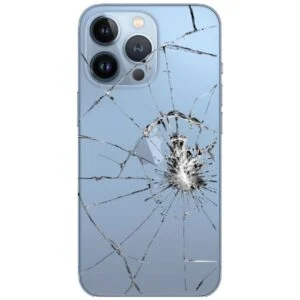
| Back glass replacement | from $140.00 | 30 days |
| Button repair | from $50.00 | 30 days |
| Camera repair | from $75.00 | 30 days |


How long does an iPhone repair take?
It depends on the repair. If parts are available, many iPhone screen and battery repairs take about 30–60 minutes.
What to do if the iPhone does not turn on after being dropped?
The consequences of an unsuccessful fall are very different. And even if the smartphone turns on, this is not a guarantee that it will continue to work flawlessly.
If you dropped your iPhone and it turned off, first try turning it on – in the standard way or by connecting the charger. If these steps do not work, you need to repair your phone. There are many damage options: the departure of one of the cables, the battery being disconnected, a defective microcircuit on the motherboard, etc. Professional diagnostics will determine the exact cause of the problem.
Why can't my iPhone see Wi-Fi?
If your smartphone suddenly stopped seeing the wireless network, but it did not fall, did not come into contact with water, you need to turn to professionals. Perhaps the reason is caused by the failure of the Wi-Fi chip. Specialists will disassemble the cell phone, replace the non-working part and assemble everything back. If the reason is different, a more detailed diagnosis will be carried out in order to identify or eliminate defects.
What if my iPhone or iPad fell into the water?
No matter how reliable your smartphone or tablet is, any contact with liquid can be fatal for it. And the problem is that the consequences are not always easy to predict. The iPhone may work successfully, but professional diagnostics will show that some components have been seriously damaged and precious time has been lost. Or, if you do not contact the master immediately, you will only find out about it when the gadget fails.
 929-305-0050
 8319 3rd Ave, Brooklyn, NY 11209
 Mon - Fri: 10:00 AM - 7:00 PM
Sat, Sun: Closed
 929-305-0050